Wi-Fi connections in hotels, airports, and airplanes don’t automatically become hazardous. However, traveling individuals make mistakes that sound logical but transform a convenient connection into an opportunity for cyber criminals. There are no inherent risks in such Wi-Fi systems. They lie in choosing a wrong Wi-Fi connection name, performing personal activities through the shared connection, and allowing your smartphone to automatically connect to the network again. Correcting the mentioned habits will help secure your Wi-Fi usage during the travels.
Travelers often assume that the presence of internet in airports and hotel rooms provided by some business is a guarantee of safety. Such an opinion makes them vulnerable. Tiredness, hurry to go onboard or to register, the lack of time – all these things make traveling individuals susceptible. Here are the exact errors made by travelers in hotels, airports, and airplanes and what you should do instead.
Why Travel Wi-Fi Is Riskier Than Your Local Coffee Shop
A café you visit weekly has a network you recognize. A hotel or airport is different every single time. You don’t know who configured the router, whether it’s been patched in months, or how many hundred strangers are sharing it with you right now. According to the FCC, travelers are especially exposed in exactly these settings — internet cafés, hotels, and airports — because there’s no way to verify who else is on the network or what they’re doing with it.
We’ve already broken down how these attacks work at a technical level in our guide to hidden dangers of public Wi-Fi and our deeper look at how hackers actually steal data over public networks. This article focuses on something more specific: the habits travelers repeat at hotels, airports, and in the air that most general Wi-Fi advice never addresses.
Travel Wi-Fi Risk at a Glance
| Venue | Main Risk | What’s Exposed | Fast Fix |
|---|---|---|---|
| Hotel Wi-Fi | Fake network names, shared passwords with no guest isolation | Work logins, banking, saved credentials | Confirm the name with staff, use mobile data for anything sensitive |
| Airport Wi-Fi | Evil twin hotspots, invasive captive portals | Email, passport-linked loyalty data, boarding pass info | Turn off auto-join, skip portals asking for more than an email |
| In-Flight Wi-Fi | Unencrypted payment pages, no way to verify the provider | Card numbers, confidential work files | Use a VPN or wait until landing for payments |
Hotel Wi-Fi: The Mistakes Almost Every Guest Makes
1. Trusting whatever network sounds official
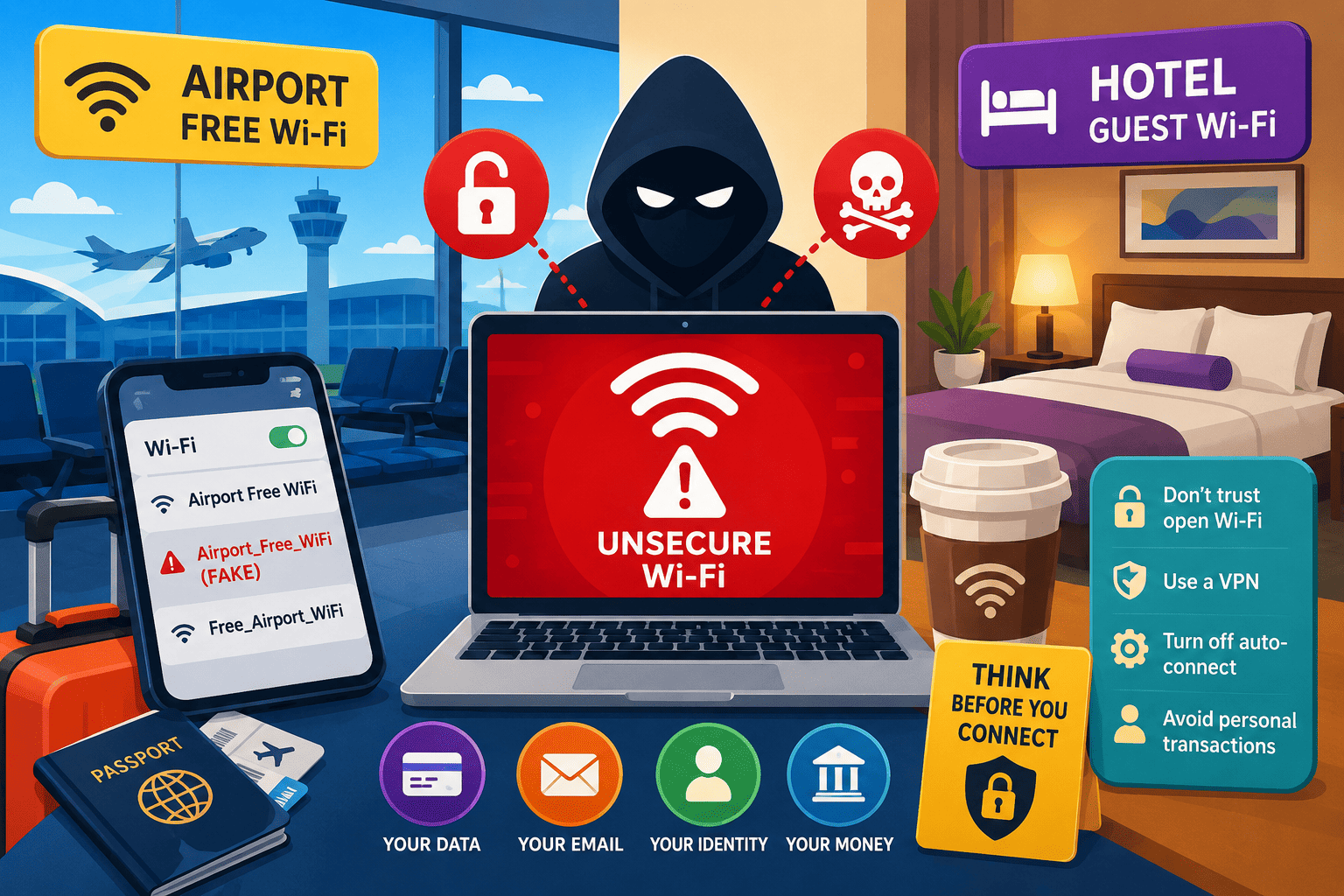
You open your Wi-Fi list and see “Hotel_Guest,” “Hotel-WiFi,” and “HotelGuestWiFi.” Which one is real? Most guests just pick the one with the strongest signal. That’s a problem, because a stronger signal is often the fake one — attackers deliberately boost their fake access point’s range so it wins over the legitimate network. The FBI’s own travel security guidance tells people to confirm both the exact network name and login steps with staff before connecting, precisely because of this trick.
2. Using the hotel business center computer for anything personal
All guests use the computers in the business center. Autocomplete function, saved sessions and previously stored login information of other guests may still be on these computers. You should not use these computers for checking emails, logging in your accounts or making payments unless you are willing to clean your session afterwards.
3. Leaving Bluetooth and file sharing switched on in your room
Hotel networks rarely separate guests from each other the way a well-run office network does. That means a device with file sharing or Bluetooth discovery left on can be visible to other guests on the same floor, not just to the hotel’s staff. Before you connect, check your device security settings and turn off sharing and discoverability — it takes ten seconds and closes an easy entry point.
Airport Wi-Fi: Where the Busiest Networks Hide the Biggest Traps
4. Connecting to “Free_Airport_WiFi” because it has no password
Network without any passwords is easiest to mimic. You simply make a hotspot and give it an appealing and simple name. Airports are popular destinations for such attacks because most people there have their laptops open and emails signed in.
5. Filling out captive portal forms without reading them
The page on which you have to log in to access the Internet, known as the captive portal, may ask for too much: your name, phone number, frequent flier number, or even a picture ID card for the “premium” Wi-Fi at an airport. When the login page demands details other than those needed to provide you with Internet access, it is a cause for concern.
6. Charging your phone at a public kiosk while it’s still connected
This isn’t strictly a Wi-Fi issue, but it compounds the same mistake: a device that’s mid-transfer, logged into sensitive apps, and plugged into an unknown USB port is exposed twice over. If you must use a public charging station, use your own cable and a wall adapter instead of an unknown USB port or cable.
In-Flight Wi-Fi: The Riskiest Network You’ll Ever Pay For
7. Entering your card number on the in-flight payment page
Paid in-flight Wi-Fi portals are notoriously inconsistent in how they handle your data, and you have no practical way to verify the airline’s satellite provider or its security setup from your seat. If you’re going to buy in-flight Wi-Fi, use a virtual card or a payment app rather than typing your primary card number directly into the airline’s page.
8. Treating altitude as a security feature
Being 35,000 feet in the air feels private. It isn’t. Anyone else on the same in-flight network can, in theory, be on the same shared connection as you. Save confidential client files, spreadsheets, and contract reviews for a network you actually trust.
9. Letting your phone auto-reconnect from gate to cabin
Many phones remember every network they’ve ever joined and reconnect automatically. That “helpful” habit means your device might silently rejoin a fake airport network you connected to hours earlier, without you noticing. Turn off auto-join for public networks, and manage this the same way you’d manage any other account security habit — deliberately, not automatically.
Travel Wi-Fi vs. Mobile Data: Which Actually Wins?
Public Wi-Fi (Hotel/Airport/Flight)
- Pros: Free or low-cost, no data roaming charges, works well for streaming or casual browsing
- Cons: No way to verify who runs the network, shared with strangers, common target for fake hotspots
Mobile Data / Personal Hotspot / eSIM
- Pros: Only you control the connection, far harder to spoof, safe for banking and logins
- Cons: Costs money abroad unless you have a local eSIM or travel plan, can be slower in dead zones
Safer Alternatives for Staying Connected While Traveling
- Use a VPN on every public network. A reputable VPN encrypts your traffic even if the Wi-Fi itself is compromised. See our VPN and network security guide before you travel, not after something goes wrong.
- Get a local eSIM or international data plan. For a few dollars a day, you skip hotel and airport Wi-Fi entirely for anything sensitive.
- Turn off auto-join and file sharing before you leave home. Do this once, and it protects you at every stop of the trip.
- Save banking and logins for a network you control. If it can wait until you’re on your own hotspot, let it wait.
Verdict
Our take: Hotel, airport, and in-flight Wi-Fi aren’t the enemy — complacency is. The travelers who get into trouble aren’t unlucky; they’re the ones who connect on autopilot, skip the name check, and do sensitive work assuming “it’s probably fine.” A five-second habit change (confirm the network, skip auto-join, save banking for your own hotspot) removes almost all of the real risk.
Frequently Asked Questions
Is hotel Wi-Fi safer than airport Wi-Fi?
Not necessarily. Hotel networks are shared by hundreds of guests with little separation between devices, while airport networks are heavily trafficked and frequently targeted with fake hotspots. Treat both the same way: confirm the name, avoid sensitive logins, use a VPN.
Can I safely check my bank account on airport Wi-Fi?
It’s best avoided. The FTC notes that most sites now use encryption, which helps, but you still can’t verify who else is on that network or how it’s configured. Mobile data is the safer choice for banking while traveling.
Does paid in-flight Wi-Fi mean it’s more secure?
No. Paying for a connection doesn’t verify its security setup. Treat in-flight Wi-Fi the same as any other public network — fine for browsing, risky for banking or confidential work.
Should I turn off Wi-Fi auto-connect permanently?
Yes, especially before traveling. CISA’s guidance on public Wi-Fi specifically recommends confirming a hotspot’s name and password before connecting, which auto-join skips entirely.
Is a VPN enough to make hotel or airport Wi-Fi fully safe?
A VPN encrypts your traffic, which stops most eavesdropping, but it doesn’t stop you from connecting to a fake network in the first place. Confirming the network name is still your first line of defense.